
Privacy / iOS + Android
SnapTemp: Auto-Delete Camera
Keep useful photos for now, not forever.
A temporary photo product for iPhone and Android: the iPhone app focuses on expiry-based capture, while Android also includes a private vault and gallery-cleaning tools.
Latest update
iOS 1.0.5 improves framing, interruption recovery, focus and exposure lock, and rapid delete/Undo. The Android listing was updated May 11, 2026.
01 / Why it exists
A temporary photo product for iPhone and Android: the iPhone app focuses on expiry-based capture, while Android also includes a private vault and gallery-cleaning tools.
02 / What it does
Small details, clear purpose.
Keep it for a while
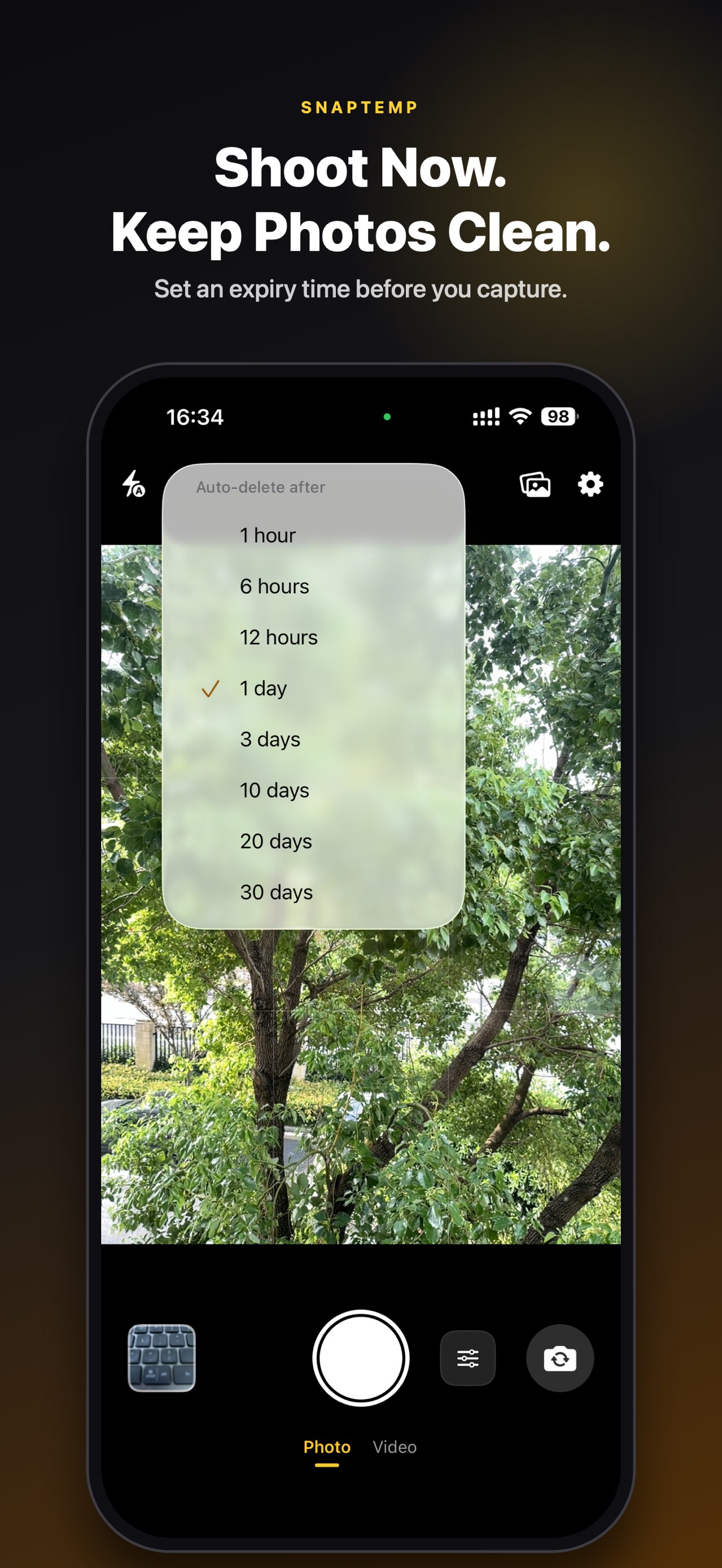
Choose a default lifetime or adjust an expiry date for individual photos and videos.
Stay out of Photos
Capture from a temporary camera without filling your permanent camera roll.
Review before expiry
See what is about to expire in a clear time-based queue, then save, share, or delete.
Platform-specific tools
iPhone centers on temporary capture; Android also adds hidden albums, PIN/password protection, duplicate cleanup, and screenshot cleanup.
03 / A closer look
A closer look.
Explore the details that make the product feel simple, focused, and ready for everyday use.
04 / Privacy
Useful should feel trustworthy.
The iPhone listing says no data is collected. The Android listing says no data is shared with third parties but may collect location, app activity, and other data; check each platform’s disclosure.
05 / Questions
A few useful answers.
How is SnapTemp different from a regular camera?
SnapTemp starts with a temporary camera, so receipts, parking locations, return labels, and quick notes do not have to fill your permanent photo library and can be cleared on the schedule you choose.
Can I give each photo or video a different lifetime?
Yes. Choose a default lifetime, then adjust the expiry date for any individual photo or video.
Can I keep or share a photo before it expires?
Yes. A time-based queue shows what is about to expire, so you can save, share, or delete it before the expiry date.
Does the iPhone app put temporary photos into Apple Photos?
The iPhone app is designed around a temporary capture workflow to keep short-lived details out of your permanent library. Use the app’s save and share actions when you decide to export something.
What extra tools are available on Android?
Android also includes hidden albums, PIN or password protection, duplicate-photo cleanup, and screenshot cleanup alongside temporary capture.
Are the iPhone and Android privacy disclosures the same?
Not exactly. The iPhone listing states that no data is collected; the Android listing states that no data is shared with third parties but may collect location, app activity, and other data. Check the current disclosure for the platform you use.
06 / More from AppCrown